What Are Steam Groups?
Steam Groups are community hubs within the Steam platform that bring together players who share common interests, games, or goals. Think of them as clubs or forums where you can connect with other players, share content, organize events, and communicate through discussions and chat. For CSGO players in particular, Steam Groups have long been a valuable way to find teammates, join trading communities, and stay connected with the broader Counter-Strike community.
Steam Groups can range from small private groups of friends to massive public communities with hundreds of thousands of members. Some of the largest CSGO-related groups have served as hubs for competitive teams, trading networks, and regional communities. Whether you want to find players in your skill range for competitive matchmaking or connect with traders to grow your inventory, there is likely a Steam Group for it.
How to Find and Join Steam Groups
Finding the right Steam Group is straightforward once you know where to look. Steam provides several ways to discover groups that match your interests.
Searching for Groups on Steam
The most direct way to find Steam Groups is through Steam's built-in search functionality:
- Open the Steam Client or go to steamcommunity.com in your browser
- Navigate to the Community tab in the top navigation bar
- Click on Groups in the dropdown menu
- Use the search bar to type keywords related to what you are looking for (e.g., "CSGO competitive," "CSGO trading," "Counter-Strike EU")
- Browse the results and click on any group to view its page, description, and member count
You can filter search results by various criteria including the number of members, activity level, and whether the group is public or invite-only. Larger groups tend to have more active discussions and events, while smaller groups often offer a more tight-knit community experience.
Joining a Public Group
Public groups are open to anyone who wants to join. The process is simple:
- Visit the group's page on Steam
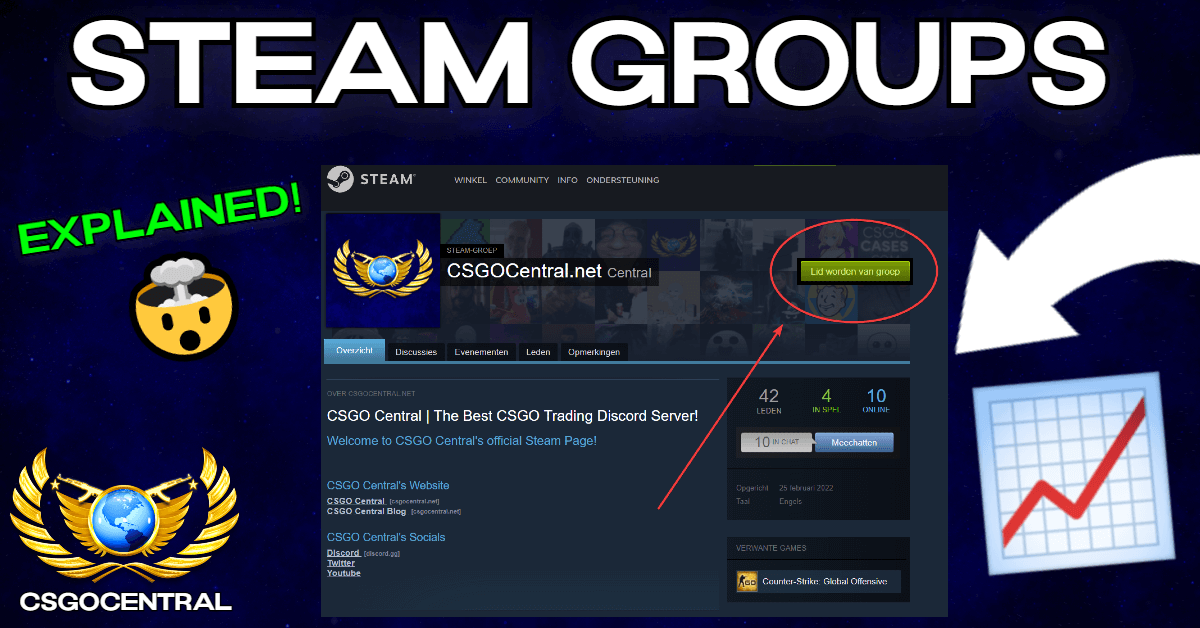
- Click the "Join Group" button on the right side of the page
- You will be added to the group immediately and can start participating in discussions, chat, and events
There is no limit to the number of groups you can join on Steam, so feel free to join as many as you find interesting. You can always leave a group later if it does not meet your expectations.
Joining an Invite-Only Group
Some groups are set to invite-only or require approval from an administrator. For these groups:
- Visit the group's page and click "Request to Join"
- A group officer or admin will review your request and either approve or deny it
- Alternatively, a current member or officer of the group can send you a direct invitation
Invite-only groups are often more curated and may have specific requirements for membership, such as a minimum Steam level, a certain number of hours in CSGO, or a verification process to prevent spam accounts from joining.
Finding Groups Through Other Players
Another effective way to discover groups is by checking the profiles of other players you encounter in CSGO. When you visit a player's Steam profile, you can see which groups they belong to (unless they have made this information private). If you find a player whose playstyle or interests align with yours, their group memberships can lead you to communities you might enjoy.
Creating Your Own Steam Group
If you cannot find an existing group that fits your needs, creating your own is a great option. Steam makes it easy to set up and customize a group from scratch.
Step-by-Step: Creating a New Group
- Go to steamcommunity.com and sign in to your Steam account
- Navigate to Community and then Groups
- Click the "Create a new group" button
- Fill in the required information:
- Group Name: Choose a clear, descriptive name that communicates the group's purpose (e.g., "CSGO EU Competitive Players" or "CSGO Skin Collectors")
- Group Abbreviation: A short tag that appears next to members' names in-game (limited to a few characters)
- Group URL: A custom URL for your group's page on Steam
- Write a group description that explains what the group is about, who it is for, and any rules or guidelines for members
- Upload a group avatar (profile picture) that visually represents your community
- Choose the group's privacy settings (public, invite-only, or private)
- Click "Create Group" to finalize the setup
Customizing Your Group
After creating your group, you can further customize it to make it more appealing and functional:
- Group Avatar and Header: Upload a high-quality image that represents your community. This is the first thing potential members will see, so make it count.
- Group Description: Write a detailed description that covers the group's purpose, rules, and any relevant information. A well-written description helps attract the right members.
- Announcements: Use the announcement feature to communicate important updates, events, or news to all group members. Members can receive notifications for announcements.
- Discussion Forums: Enable and organize discussion forums for different topics. You can create separate sections for general chat, looking-for-group posts, trading, and more.
- Scheduled Events: Create events for organized play sessions, tournaments, or community gatherings. Members can RSVP and receive reminders.
Group Settings and Permissions
Managing a Steam Group effectively requires understanding the available settings and permission levels. Proper configuration ensures your group runs smoothly and stays focused on its purpose.
Group Privacy Settings
Steam Groups have three privacy levels:
- Public: Anyone can find the group, view its content, and join without approval. This is the best setting for groups that want to grow quickly and attract as many members as possible.
- Restricted (Invite-Only): The group is visible in search results and anyone can view its page, but joining requires approval from an officer or an invitation from a current member. This is ideal for groups that want some visibility but want to vet new members.
- Private: The group is hidden from search results and can only be found through a direct link or invitation. Only members can view the group's content. This is best for small, close-knit communities or teams.
Member Roles and Permissions
Steam Groups have a hierarchy of roles, each with different permissions:
- Owner: The person who created the group. Has full control over all settings, including the ability to transfer ownership, delete the group, and manage all other roles.
- Officers: Trusted members who can manage group settings, approve join requests, post announcements, moderate discussions, and kick or ban members. Officers cannot delete the group or change ownership.
- Moderators: Members with limited management abilities. They can moderate discussions, remove inappropriate content, and help maintain order in the group. They cannot change group settings or manage other staff members.
- Members: Regular group participants who can post in discussions, join group chat, participate in events, and interact with other members.
As your group grows, promoting reliable and trustworthy members to officer or moderator roles helps distribute the workload of managing the community. Be selective about who you promote -- officers have significant control over the group's operations.
Managing Membership
Group owners and officers can manage membership in several ways:
- Invite members: Send direct invitations to specific Steam users you want to join
- Approve or deny requests: For invite-only groups, review and process join requests
- Kick members: Remove members who violate rules or are inactive
- Ban members: Permanently prevent specific users from rejoining the group
- Set join requirements: Some groups use external tools or bots to enforce requirements like minimum Steam level or game hours
Steam Groups for CSGO Players
CSGO players have historically used Steam Groups for a variety of purposes. Here are the most common use cases and how groups can enhance your CSGO experience.
Finding Teammates
One of the most valuable uses of Steam Groups for CSGO players is finding teammates for competitive matchmaking. Solo queuing can be frustrating, and having a reliable team significantly improves your experience and your chances of winning.
Look for groups with names like:
- "CSGO LFG" (Looking for Group) communities
- Regional groups (e.g., "CSGO EU West," "CSGO NA East") for finding players with low ping
- Rank-specific groups (e.g., "CSGO Gold Nova Players," "CSGO DMG+") for finding players at your skill level
- Language-specific groups for players who prefer to communicate in their native language
When joining a LFG group, introduce yourself in the discussions. Mention your rank, preferred role, available play times, and what you are looking for in teammates. Being upfront about your skill level and expectations helps you find compatible players faster.
Trading Communities
Steam Groups have been central to the CSGO skin trading scene. Trading groups serve as meeting places where buyers and sellers can connect, negotiate, and complete transactions. Many established trading communities have strict rules against scamming and employ moderators who vet members and resolve disputes.
When joining a trading group, pay attention to:
- The group's reputation and how long it has been active
- Whether the group has clear rules about trading conduct
- The presence of active moderators who enforce rules
- Whether the group uses any verification systems (such as SteamRep checks) for members
For more information on trading safely, check out our guide on how to buy and sell CSGO skins securely.
Competitive Teams and Scrimmages
Many amateur and semi-professional CSGO teams use Steam Groups as their home base. These groups serve as a central hub for team communication, schedule coordination, and recruitment. If you are interested in competitive play beyond matchmaking, joining a team-oriented group is an excellent way to get started.
Some groups also organize regular scrimmages (practice matches) between teams, which provide a more structured competitive experience than standard matchmaking without the full commitment of tournament play.
Community Servers
Many CSGO community server operators maintain Steam Groups for their player base. Joining these groups gives you access to server announcements, event notifications, and a community of regular players who frequent those servers. Whether it is a surf server, a retake server, or a custom game mode server, the associated Steam Group is the best way to stay connected with its community.
Benefits of Being in Steam Groups
Beyond the specific use cases mentioned above, being an active member of Steam Groups offers several general benefits for CSGO players.
Community and Social Connection
Gaming is more enjoyable with a community. Steam Groups provide a persistent social space where you can build relationships with other players over time. Unlike random matchmaking encounters, group interactions allow you to get to know people, develop friendships, and create a sense of belonging within the CSGO community.
Information and Knowledge Sharing
Active Steam Groups often serve as knowledge bases where experienced players share tips, strategies, and news. Whether it is a new smoke lineup, a market trend for skin trading, or an update to competitive map pools, groups can keep you informed and help you improve your game.
Event Participation
Many groups organize events such as community tournaments, giveaways, and play sessions. These events add variety to your gaming experience and can provide rewards like skins, cases, or bragging rights. Participating in group events is also a great way to meet new players and test your skills in a different format.
In-Game Group Tag
When you set a Steam Group as your primary group in CSGO, the group's abbreviation (tag) appears next to your name on the in-game scoreboard. This is a small but meaningful way to represent your community, team, or identity while playing. Many players take pride in displaying their group tag, especially if it represents a well-known community or competitive team.
To set your primary group tag in CSGO:
- Open CSGO and go to Settings
- Navigate to the Game tab
- Under Team Tag, select the group whose tag you want to display
- Your chosen group tag will now appear next to your name on the scoreboard
Popular CSGO Steam Groups
While the CSGO community has evolved since the transition to CS2, several Steam Groups built around CSGO remain active or have historical significance. Here are some categories of notable groups that CSGO players have gravitated toward.
Official and Semi-Official Groups
- Counter-Strike: Global Offensive (Official) -- Valve's official CSGO group, one of the largest on Steam with millions of members. Announcements here included major updates and event information.
- FACEIT -- the official Steam Group for the FACEIT competitive platform, connecting players who use the service for ranked play outside of Valve matchmaking.
- ESEA -- another competitive platform group, popular in North America for serious competitive players.
Regional Community Groups
- CSGO EU Community -- groups focused on connecting European players for matchmaking, scrimmages, and discussions
- CSGO NA Community -- similar groups for North American players
- CSGO SEA / Asia Pacific -- communities for players in the Southeast Asian and broader Asia Pacific regions
- CSGO Brazil / South America -- groups catering to the large South American player base
Trading and Economy Groups
- CSGO Trading Groups -- various groups dedicated to skin trading, price checking, and market discussion
- Skin Collector Communities -- groups for players who focus on collecting rare and unique skins
- Case Opening Groups -- communities centered around case opening, sharing results, and discussing odds
Content Creator Communities
- Many popular CSGO YouTubers and streamers maintain their own Steam Groups where fans can interact, find game partners, and participate in community events
- Workshop map creators often have groups where they share updates on their maps and gather feedback from the community
Tips for Getting the Most Out of Steam Groups
To maximize your experience with Steam Groups, keep these tips in mind:
- Be active: Join discussions, participate in events, and contribute to the community. Active members get more out of groups and build stronger connections.
- Follow group rules: Every group has its own guidelines. Respecting these rules keeps the community healthy and prevents you from being kicked or banned.
- Do not spam: Avoid posting repetitive trade offers, self-promotion, or off-topic content. This is the fastest way to get removed from a group.
- Be respectful: Treat other members with courtesy, even in disagreements. Toxic behavior damages communities and your own reputation.
- Manage your notifications: If you join many groups, the notifications can become overwhelming. Adjust your notification settings for each group so you only receive alerts from the groups that matter most to you.
- Leave inactive groups: Periodically review your group memberships and leave groups that are no longer active or relevant to your interests. This keeps your groups list clean and manageable.
Conclusion
Steam Groups are a powerful and often underutilized feature of the Steam platform. For CSGO players, they provide a way to find teammates, join trading communities, participate in events, and connect with like-minded players from around the world. Whether you join existing groups or create your own, the social connections and resources available through Steam Groups can significantly enhance your gaming experience.
Take a few minutes to search for groups that align with your interests, introduce yourself in their discussions, and start building connections. The CSGO community has always been strongest when players come together, and Steam Groups are one of the best tools available for making that happen.