Join 22,500+ CSGO & CS2 players on Discord.
Find teammates, share server IPs, and organize matches.
Summary: As of March 4th, 2026, CSGO is officially back on Steam as a free standalone download. No more workarounds, no file editing, no Legacy beta branches. Just download CSGO from Steam, install it, and find servers through Steam's built-in server browser (View > Game Servers). Official matchmaking is not available and skins do not load, but tens of thousands of players are active on community 5v5 competitive, retake, surf, Danger Zone, and deathmatch servers.
CSGO Is Back on Steam in 2026
CSGO is officially back. On March 4th, 2026, Valve made Counter-Strike: Global Offensive available as a standalone game on Steam with its own separate store page. After over two years of relying on the Legacy beta branch, file edits, and crash fixes, CSGO is now a proper standalone download — just like CS 1.6 and CS Source. For the first time since CS2 launched, all versions of Counter-Strike are available on Steam as separate games.
The community response has been massive. Within days of the release, CSGO hit over 60,000 concurrent players, with peaks still climbing. Valve is not officially supporting CSGO with updates or servers, but the move is widely seen as game preservation — making sure CSGO is not lost to a hidden beta branch.
This guide covers everything you need: downloading CSGO, finding community servers with real players, playing 5v5 competitive matches, and staying safe on community servers. Whether you are coming back after years away or trying CSGO for the first time, getting started has never been easier.
Step 1: Download CSGO from Steam
CSGO is available as a free standalone game on Steam. Here is how to get it:
- Open the CSGO Steam store page directly
- Click "Play Game" to add it to your Steam library
- Let Steam download and install the game (approximately 15 GB)
- Launch CSGO from your Steam library
That is it. No beta branches, no file editing, no workarounds. CSGO installs and runs as its own game in your Steam library, completely separate from CS2. All maps and game modes from the original CSGO are available, including Dust2, Mirage, Inferno, and maps that are not currently in CS2.
Note: The store page is unlisted by Valve, meaning it does not appear in Steam search results. You need to use the direct link to access it. Even if you previously had CSGO Legacy installed through the CS2 beta branch, you will need to download this standalone version separately.
About skins: The in-game inventory does not load in the standalone version. Valve has not enabled inventory access, so your skins are not visible. This may change in the future, but for now CSGO runs without skin support.
Step 2: Find CSGO Community Servers
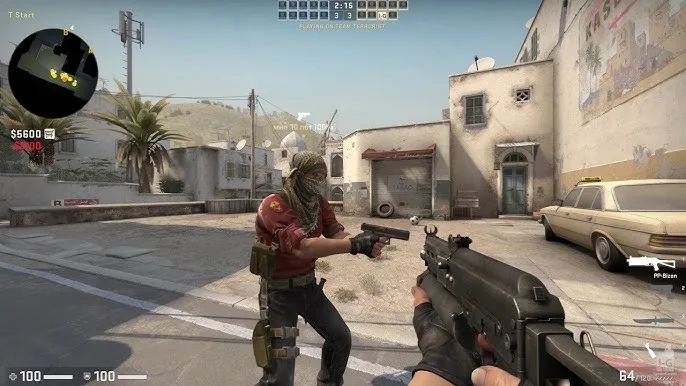
Official Valve matchmaking is not available, and the in-game community server browser does not work. To play with other people, you need to find and connect to community servers through the Steam client server browser or by entering server IPs in the developer console.
Steam Client Server Browser (Recommended)
The easiest and most reliable way to find CSGO servers is through the Steam client itself:
- Open Steam and go to View in the top menu bar
- Click Game Servers
- Click the Change Filters dropdown and select the game
- Choose Counter-Strike: Global Offensive from the list
- Browse the server list, select a server, and click Connect
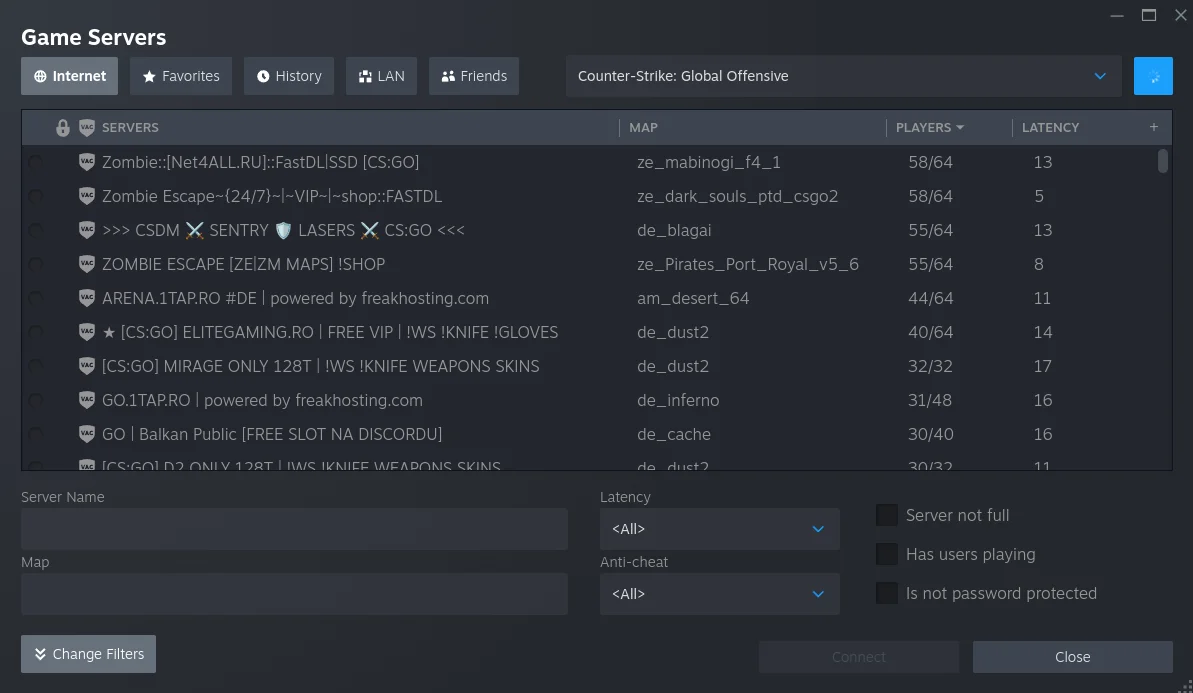
The Steam server browser shows live player counts, ping, map, and server name all in one place. It is the fastest way to find a populated server with good ping in your region, and you can connect with a single click without needing the developer console.
Server Browser Websites
You can also use third-party websites that track active CSGO community servers in real-time:
- GameTracker (gametracker.com) — One of the oldest and most comprehensive server tracking sites. Search by game mode, map, region, or player count.
- Tsarvar (tsarvar.com) — Monitors servers every minute with ratings, player counts, and country info. Filter specifically for CSGO or CS2 servers.
- CS2Browser (cs2browser.com) — Covers all game modes including Surf, Bhop, 1v1, Retake, and competitive. Works for both CSGO and CS2 servers.
- GS4U (gs4u.net) — A CSGO-specific server list with search and monitoring features.
How to Connect via Console
If you find a server IP on a website or from a friend, you can connect manually through the developer console:
- Copy the server IP address (it will look something like
185.123.45.67:27015) - Launch CSGO
- Open the developer console by pressing the tilde key (
~) - Type
connectfollowed by a space and paste the server IP - Press Enter to connect
If your console is not enabled: Go to Settings > Game and set "Enable Developer Console" to Yes. Then go to Settings > Keyboard/Mouse, scroll down to find "Toggle Console," and bind it to a key. The tilde key (~) is the standard choice, but you can bind it to any key you prefer.
Discord Communities for CSGO Servers
Beyond server browser websites, Discord communities are one of the best ways to find active CSGO servers and coordinate games with other players. Many community server operators share their IPs and organize events through Discord. Some servers also require whitelisting through their Discord communities before you can connect.
Our CSGO Discord server has over 22,500 members and covers both CSGO and CS2. It is a great place to find other players who still enjoy CSGO, share server IPs, and organize 5v5 matches.
Step 3: Playing 5v5 Competitive Matches
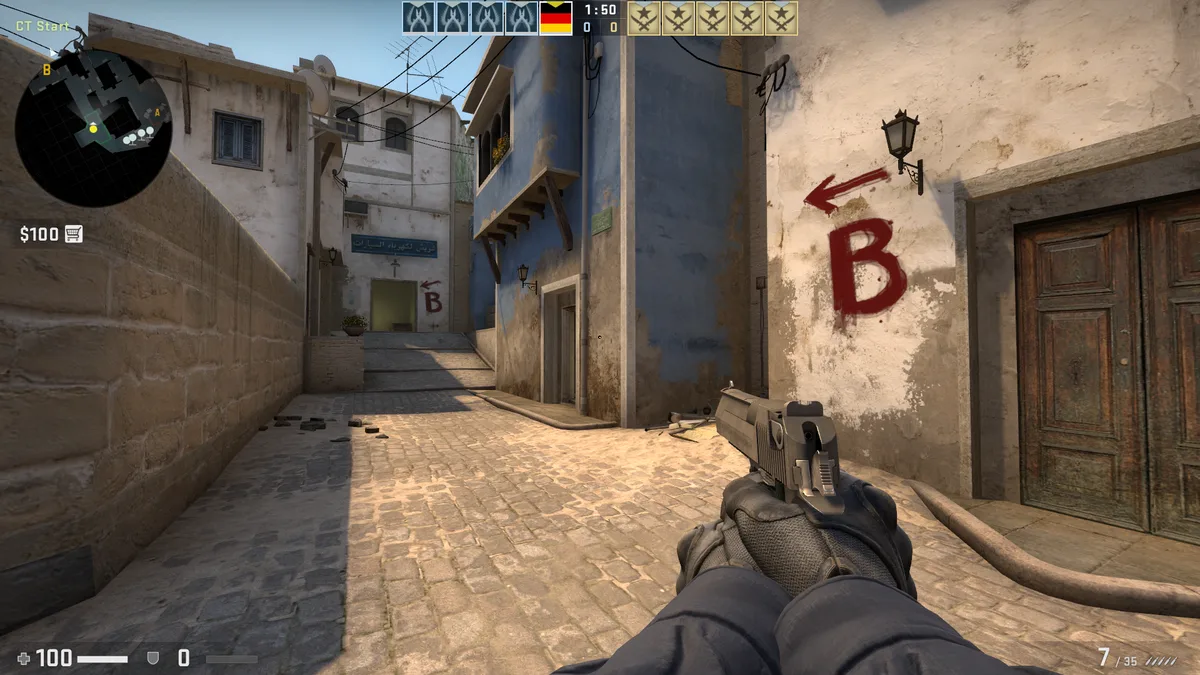
If you specifically want the 5v5 competitive experience that made CSGO famous, there are several options available in 2026. The community has kept competitive CSGO alive with servers running standard rules on all the classic maps.
Community 5v5 Servers
Search for "CSGO 5v5" or "CSGO competitive" on the server browser websites listed above. Many community servers run standard competitive rule sets (MR15 or MR12) on classic maps like Dust2, Mirage, Inferno, and Nuke. Server populations tend to be highest during European and CIS evening hours.
Third-Party Match Platforms
- PopFlash — Supports CSGO 5v5 matches. Originally used by professional players for practice scrims. Requires 10 players to start a match, which can be difficult to fill, so coordinating through Discord helps.
- CYBERSHOKE — Offers 5v5 servers, primarily for CS2 but some support CSGO connections.
Organizing Your Own Matches
The most reliable way to get a full 5v5 CSGO game going is to organize it yourself. Gather 10 players through Discord or Steam groups, pick a community server with good ping for everyone, and connect together. Our Discord community has LFG channels where you can find players for exactly this purpose.
Other Game Modes on Community Servers
Competitive 5v5 is not the only option. CSGO community servers in 2026 offer a variety of game modes, many of which maintain active player bases:
- Retake servers — Practice post-plant situations in quick rounds
- Surf — Movement-based maps where you glide along angled surfaces
- Bhop — Bunny-hopping courses that test movement precision
- KZ (Climb) — Parkour-style maps focused on advanced movement techniques
- 1v1 Arena — Quick aim duels against other players
- Deathmatch and FFA — Free-for-all combat for aim practice
- Zombie Escape — Co-op mode where players work together to escape zombie hordes
- Jailbreak — Guards vs. prisoners with custom rules and mini-games
- Danger Zone — CSGO's battle royale mode, now available again on community servers
These modes are especially popular because they do not require a full team to be enjoyable, so finding populated servers is easier than for strict 5v5 competitive.
Workshop Maps Still Work
You can still download and play CSGO workshop maps. On the Steam Workshop, search for CSGO maps or browse the available collections. Subscribe to any map you want, launch CSGO, open the console, and type map followed by the map name to load it (for example, map de_dust2). This is perfect for practicing on aim training maps, exploring classic maps, or playing custom game modes with bots.
CSGO vs. CS2: Why Players Still Prefer the Original
There is a reason CSGO's return has been celebrated by the community. Many long-time players feel that CSGO simply plays better than CS2 in key areas:
- Smoother feel: CSGO's Source engine feels noticeably more responsive than CS2's Source 2. Many players describe it as the difference between 60Hz and 240Hz gaming — the input feedback is just tighter and the game feels significantly smoother to play.
- Easier to aim: Hit registration and spray patterns in CSGO are widely considered more consistent and satisfying. Players who switch back from CS2 immediately notice how much easier it is to aim in CSGO.
- Movement: CSGO's movement mechanics, including bunny hopping and counter-strafing, feel more precise and rewarding.
- Performance: CSGO runs significantly better on older hardware, maintaining higher frame rates with lower system requirements.
- Classic maps and modes: CSGO includes every map and game mode from the original game, including maps and modes that have not been brought to CS2 like Danger Zone, Assault, and Militia.
- Nostalgia: For players who spent thousands of hours in CSGO, the maps, sounds, and overall atmosphere carry a lot of sentimental value. It is night and day compared to CS2 for many veterans.
That said, CS2 is the future of Counter-Strike with active development, official matchmaking, and a growing competitive scene. For the latest CS2 content, check out CS2Central.gg.
Safety Warnings for Community Servers
This is important to understand before you start joining servers. CSGO is no longer receiving updates or security patches from Valve. Connecting to community servers carries inherent risks:
- Remote code execution: Security researchers have demonstrated that malicious community servers could potentially execute code on your PC through Source engine vulnerabilities. Some of these vulnerabilities were never patched.
- Malware through custom files: When you connect to a community server, it can download custom maps, models, and other files to your system. A malicious server could potentially deliver malware this way.
- Phishing: Some servers or associated websites may prompt you to log in through fake Steam pages designed to steal your credentials.
How to Stay Safe
- Only join well-known, populated servers with established reputations. Avoid empty or suspicious servers.
- Never enter your Steam credentials on any website linked from a community server.
- Never share your Steam API key with any third-party service.
- Keep your antivirus software active while playing.
- Use community resources like our Discord server to verify which servers are trusted before connecting.
- Be cautious with any file downloads that seem unusual or unnecessary for normal gameplay.
Quick Reference: Complete Setup Checklist
Here is the full process from start to finish:
- Open the CSGO Steam store page and click Play Game
- Wait for the download to complete (~15 GB)
- Launch CSGO from your Steam library
- Find a server: Steam > View > Game Servers > select Counter-Strike: Global Offensive
- Click Connect on a server, or copy the IP and use the console (
connect <IP>)
Frequently Asked Questions
Is CSGO back on Steam?
Yes. CSGO has its own Steam store page and can be downloaded directly as a free standalone game. You no longer need to use the CS2 Legacy beta branch or edit any game files.
Is CSGO free to play?
Yes. CSGO is completely free to play on Steam. Just visit the store page and click Play Game to add it to your library.
Does CSGO matchmaking still work?
No. Valve has not restored official matchmaking. To play with other people, you need to join community servers or use third-party match platforms like PopFlash.
Can I use my CSGO skins in the standalone version?
No, not currently. The in-game inventory does not load in the standalone version of CSGO. Valve has not enabled inventory access. This may change in the future, but for now skins are not available.
Do I still need to edit steam.inf or rename crashhandler.dll?
No. Those workarounds were needed when CSGO only existed as a Legacy beta branch within CS2. Now that CSGO has its own standalone Steam release, the game installs and runs without any file modifications.
Can I have both CSGO and CS2 installed?
Yes. CSGO and CS2 are now separate games on Steam. You can have both installed and switch between them freely.
Why can I not find CSGO in Steam search?
The CSGO store page is unlisted by Valve, meaning it does not appear in Steam search results. You need to use the direct link to access it.
Are community servers safe?
There are risks. CSGO does not receive security patches. Only join well-known servers, keep your antivirus active, and never share your Steam credentials or API key with third-party services. See the safety section above for full details.
Where can I find other CSGO players?
Our CSGO Discord server has over 22,500 members and is one of the most active Counter-Strike communities. You can find teammates, share server IPs, and organize matches there.
Is it worth playing CSGO instead of CS2 in 2026?
Many players think so. CSGO feels smoother, more responsive, and easier to aim in compared to CS2. The trade-off is a smaller player base and no official matchmaking. CS2 has active development and a larger competitive scene. Many players in our community enjoy both games, but those who have tried going back to CSGO after playing CS2 often describe it as a significantly better experience.
Last updated: March 6, 2026. CSGO is now available as a standalone free download on Steam. Join our Discord community for the most current information on playing CSGO.